📞Customer Service: +86 13248368268 📧servicecenter@suzhoufrank.com one year replacement and warranty!

Guide to Choosing the Best Endoscopy and Surgical Monitors
Endoscopy monitor and surgical monitor buying guide. Learn which specs matter most: 4K resolution , brightness , size , inputs and hygienic design for clinical use.
MEDICAL IMAGING
Dr Qi Rui
1/1/20266 min read
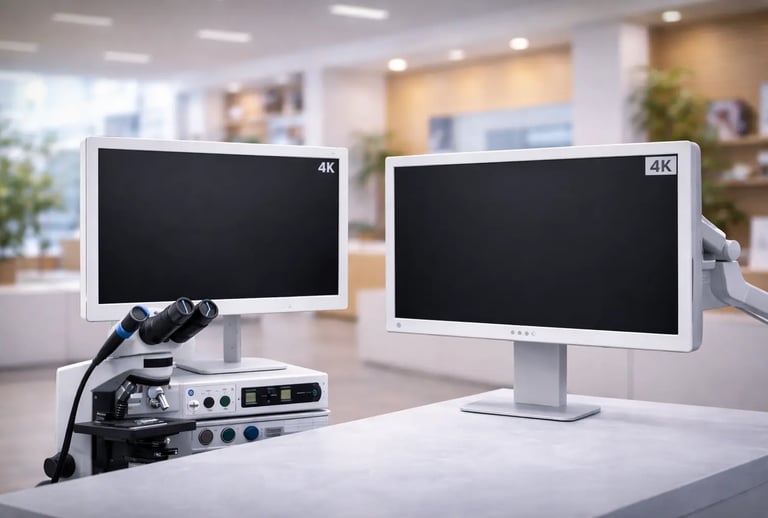
The display hanging in your procedure room or operating theatre does more than show images. It shapes how clearly surgeons see critical structures , how comfortably teams work during lengthy cases and how accurately findings get documented. Choosing the right endoscopy monitor or surgical monitor affects clinical outcomes in ways that aren't always obvious until you've experienced the difference.
This guide covers the essential factors hospitals should evaluate when selecting displays for endoscopy suites and operating rooms. Whether upgrading existing equipment or outfitting new facilities , understanding these considerations helps ensure investments deliver lasting value.
Why Monitor Selection Matters
An endoscopy monitor serves as the surgeon's eyes inside the patient. Every tissue plane , vessel and abnormality must be visible with enough clarity to guide real-time decisions. A surgical monitor in the OR performs the same function for laparoscopic , robotic and other minimally invasive procedures. The camera may capture excellent images , but if the display can't render them faithfully , visual information gets lost.
The Society of American Gastrointestinal and Endoscopic Surgeons publishes clinical guidelines emphasizing visualization quality as foundational to safe endoscopic practice. Their recommendations recognize that display performance directly impacts procedural safety and effectiveness.
Beyond the primary surgeon , other team members rely on monitor visibility. Assistants , nurses , anesthesiologists and trainees all reference the display during procedures. A surgical monitor that only looks good from one angle leaves part of the team working with degraded visual information.
Resolution: The Foundation of Image Quality
Resolution determines how much detail a display can render. Higher resolution means more pixels , which translates to finer detail visibility and sharper images overall.
Standard HD (1920 x 1080)
Full HD remains common in many facilities. It provides adequate visualization for routine procedures and represents the minimum acceptable resolution for modern endoscopy monitor applications. Budget-conscious facilities may find HD sufficient for basic needs.
4K UHD (3840 x 2160)
4K resolution offers four times the pixel count of HD. This dramatic increase reveals subtle tissue differences , small vascular structures and fine pathological details that HD displays may obscure. For advanced procedures requiring precise visualization , a 4K surgical monitor provides meaningful clinical advantage.
The transition to 4K is accelerating across surgical specialties. Facilities investing in new equipment should strongly consider 4K capability to avoid premature obsolescence.
Matching Source to Display
Resolution only matters when the entire imaging chain supports it. A 4K endoscopy monitor paired with an HD camera won't deliver 4K images. Evaluate camera systems , processors and displays together to ensure resolution consistency throughout the signal path.
Brightness and Contrast Performance
Operating rooms and procedure suites present challenging lighting environments. Overhead surgical lights , ambient room illumination and varying conditions throughout procedures all affect display visibility.
Brightness Levels
Surgical monitor brightness is measured in nits (candelas per square meter). Medical displays typically range from 300 to 1000+ nits. Higher brightness helps maintain visibility under bright OR lighting conditions. An endoscopy monitor used in a dimmed suite may need less brightness than one competing with surgical lighting.
Consider the specific environment where each display will operate. Matching brightness capability to room conditions optimizes both visibility and energy consumption.
Contrast Ratio
Contrast ratio describes the difference between the brightest whites and darkest blacks a display can produce. Higher contrast ratios render more distinct differentiation between tissue types and subtle color variations.
Medical-grade displays prioritize contrast performance because clinical decisions often depend on distinguishing between similar-appearing structures. Consumer displays may advertise impressive contrast specifications but deliver inconsistent performance that medical applications cannot tolerate.
Screen Size and Viewing Distance
Bigger isn't automatically better. Optimal screen size depends on viewing distance , room layout and how many team members need simultaneous visibility.
Size Considerations
Endoscopy monitor sizes typically range from 24 to 55 inches. Smaller displays suit tight spaces or single-viewer applications. Larger surgical monitor options serve operating theatres where multiple team members view from greater distances.
Calculate viewing distance for primary and secondary viewers. A general guideline suggests screen diagonal should be roughly one-third to one-half the primary viewing distance , though clinical preference varies.
Multiple Display Configurations
Many facilities deploy multiple monitors rather than relying on single large displays. A primary surgical monitor positioned for the surgeon plus secondary displays for assistants and documentation can provide better overall team visibility than one oversized screen.
Understanding how displays integrate with broader advanced medical imaging technology infrastructure helps facilities plan comprehensive visualization solutions.
Viewing Angles and Team Visibility
Procedure rooms position team members at various angles relative to displays. A monitor that looks excellent straight-on but washes out from the side leaves some viewers with compromised images.
IPS Panel Technology
In-plane switching (IPS) panels maintain color accuracy and contrast across wide viewing angles. Most medical-grade displays use IPS technology specifically because clinical teams view from multiple positions.
The Association of periOperative Registered Nurses addresses equipment positioning and visibility in their perioperative guidelines. Their recommendations emphasize that all team members need adequate visualization for safe practice.
Vertical and Horizontal Angles
Evaluate both horizontal and vertical viewing angle specifications. A surgical monitor mounted high on a boom arm may be viewed from below. An endoscopy monitor on a mobile cart may be seen from various horizontal positions as team members move during procedures.
Quality medical displays maintain consistent image appearance across viewing angles of 170 degrees or more in both dimensions.
Input Options and Signal Compatibility
Displays must connect to whatever signal sources your facility uses. Compatibility issues create frustration and potentially compromise visualization quality.
Common Input Types
Medical imaging systems may output via SDI (3G-SDI , 12G-SDI for 4K) , HDMI , DisplayPort or DVI connections. Ensure any endoscopy monitor or surgical monitor under consideration accepts inputs matching your existing equipment.
Multiple Input Support
Procedure rooms often need to display signals from multiple sources: endoscope processors , room cameras , imaging systems , navigation equipment. Displays with multiple inputs and easy switching simplify workflow.
Signal Processing
Some displays include built-in signal processing for color calibration , image enhancement or picture-in-picture capability. Evaluate whether these features add value for your applications or introduce unnecessary complexity.
Mounting and Positioning Flexibility
How and where displays mount affects both visibility and workflow efficiency.
Mounting Options
Ceiling-mounted boom arms offer maximum positioning flexibility for surgical monitor applications. Wall mounts provide stable positioning with smaller footprint. Mobile carts enable repositioning between rooms or within a room during procedures.
Consider infection control implications. Ceiling mounts keep displays away from the sterile field. Any mounting solution should allow easy cleaning of both the display and mounting hardware.
Adjustability
Tilt , swivel , height adjustment and rotation capability help optimize viewing angles for different procedures and team configurations. An endoscopy monitor that can be repositioned quickly accommodates varying case requirements without workflow disruption.
Cable Management
Medical environments require clean cable routing that doesn't create trip hazards or interfere with equipment movement. Evaluate how mounting solutions handle cable management , particularly for ceiling-mounted displays.
Hygienic Design Considerations
Operating rooms and procedure suites demand equipment that supports infection control protocols.
Sealed Enclosures
Medical-grade displays typically feature sealed front surfaces that can be wiped down with standard disinfectants. Gaps , vents and crevices that could harbor contamination should be minimized.
Fan-Free Cooling
Displays that rely on passive cooling rather than fans avoid circulating air that could spread contaminants. Fanless designs also reduce noise and eliminate a failure point.
Smooth Surfaces
Bezels , controls and mounting interfaces should present smooth , cleanable surfaces. Textured surfaces or complex shapes complicate disinfection.
Total Cost of Ownership
Purchase price represents only part of display investment. Lifecycle costs affect true value.
Longevity and Reliability
Medical-grade displays are engineered for extended continuous operation. Consumer displays may cost less initially but fail sooner under demanding clinical use. Evaluate expected lifespan and warranty coverage.
Calibration and Maintenance
Some displays require periodic calibration to maintain color accuracy. Factor calibration requirements and costs into total ownership calculations.
Energy Consumption
Displays operating continuously consume meaningful electricity. LED backlighting has reduced power requirements significantly , but efficiency varies between models.
Advanced Features Worth Considering
Beyond core specifications , some features enhance clinical utility.
3D Visualization
Stereoscopic 3D displays provide depth perception that flat images cannot convey. Traditional 3D required glasses , but modern naked-eye 3D technology enables glasses-free depth visualization. This advancement makes 3D practical for surgical applications where glasses create inconvenience.
HDR Support
High dynamic range imaging expands the range of brightness and color displays can render. HDR support may become increasingly relevant as imaging systems adopt wider dynamic range capture.
Touch Capability
Touch-enabled displays allow direct interaction for annotation , image manipulation or system control. Evaluate whether touch functionality adds value for your workflows.
Suzhou Frank Medical: Quality Displays for Every Application
When evaluating endoscopy monitor and surgical monitor options , Suzhou Frank Medical offers a comprehensive range designed specifically for clinical environments. The commitment to innovative visualization technology is evident across our product lineup.
The naked-eye 3D medical-grade monitors represent a flagship display technology , delivering glasses-free stereoscopic visualization that enhances depth perception during procedures. For endoscopy applications , the 3D endoscope monitors provide the resolution and color accuracy that gastroenterologists and surgeons require.
Facilities needing portable solutions can explore our 3D tablet displays , which bring advanced visualization to bedside procedures and mobile applications. For microscopy and laboratory settings , the 3D microscope systems extend the same glasses-free technology to pathology workflows.
Suzhou Frank Medical's focus on medical-grade quality , hygienic design and practical clinical features makes us always considered for many facilities evaluating display investments. Browse our complete product catalog or contact us directly to discuss specific requirements.
Conclusion
Selecting the right endoscopy monitor or surgical monitor requires balancing multiple factors: resolution , brightness , size , viewing angles , connectivity , mounting and hygienic design. No single specification determines overall suitability. The best choice matches display capabilities to specific clinical applications , room environments and team workflows.
Investing time in thorough evaluation pays dividends through years of reliable service , enhanced visualization and improved team comfort. The display may be just one component in the imaging chain , but its impact on daily clinical work makes careful selection essential.
© 2025. All rights reserved.
About Us
Introduction
Development
Cooperation
Service
Main Products
Medical Grade Monitor
No 15, Jinyang road KunshanSuzhou, Jiangsu, China